Rack-mounted network patch panels with organized blue cabling
Naples and Southwest Florida

Home Networking and Whole-Home Wi-Fi in Naples

Naples Top Tech designs, installs and supports home networks that connect Wi-Fi, entertainment, cameras and smart-home systems throughout the property.

Who needs a professionally designed home network?

A home network supports much more than phones and laptops. Streaming, video meetings and many automation and camera functions depend on it. A weak connection can look like an automation problem when the real issue is coverage, cabling or network configuration.

NTT works with homeowners replacing unreliable Wi-Fi, seasonal residents managing homes remotely, and builders planning infrastructure before walls close. Designers belong in that conversation, too. Access-point positions, equipment cabinets and cable paths affect the finished room.

What should a whole-home network include?

The right design uses enterprise-grade equipment sized for the home. A router and firewall manage the internet connection and network traffic. Managed switches connect wired equipment. Distributed wireless access points provide coverage where people actually use their devices.

Power over Ethernet, or PoE, carries power and data to compatible access points and cameras over network cable. The switch must support both each device's power requirements and the combined demand of the connected equipment.

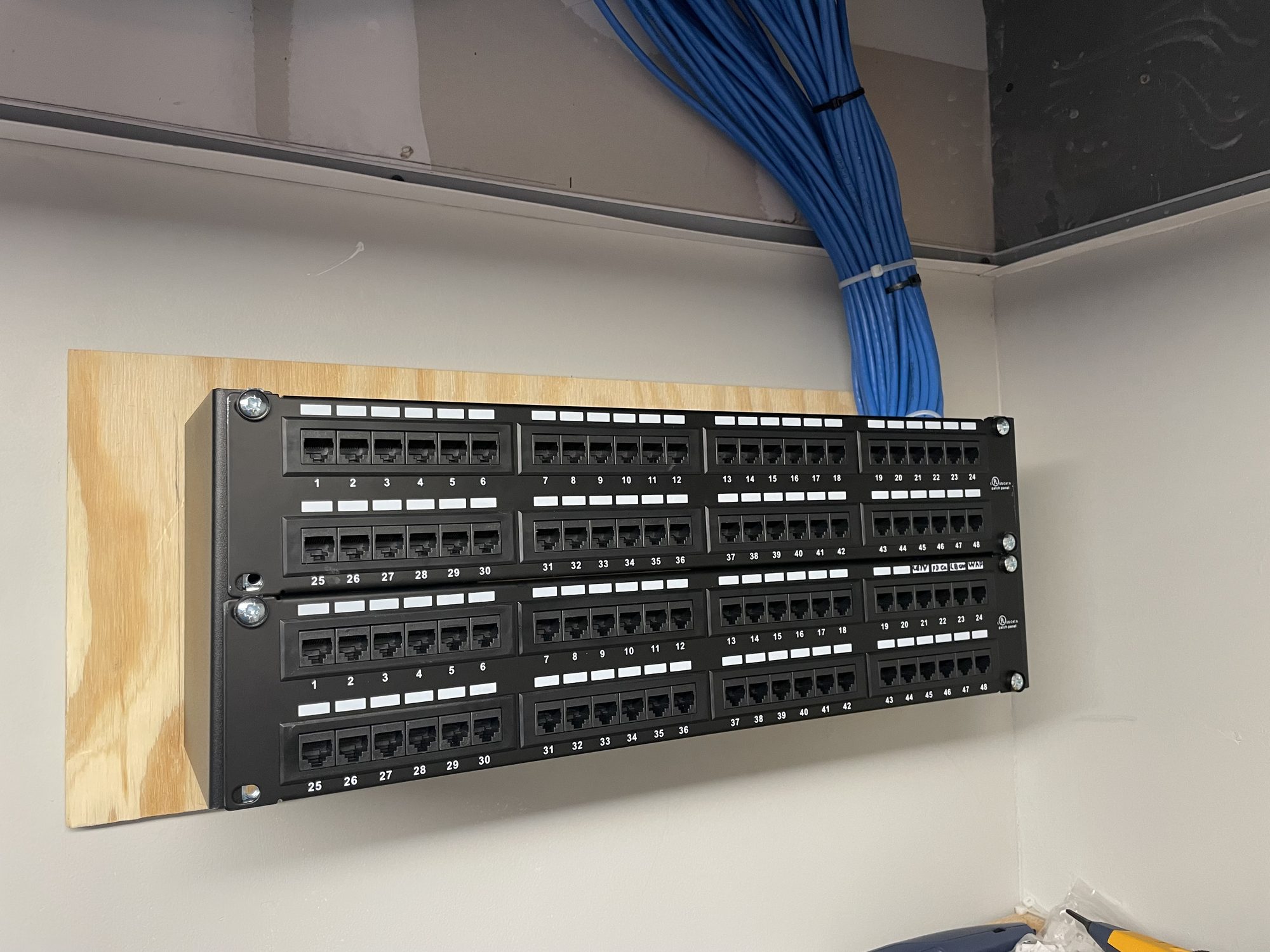
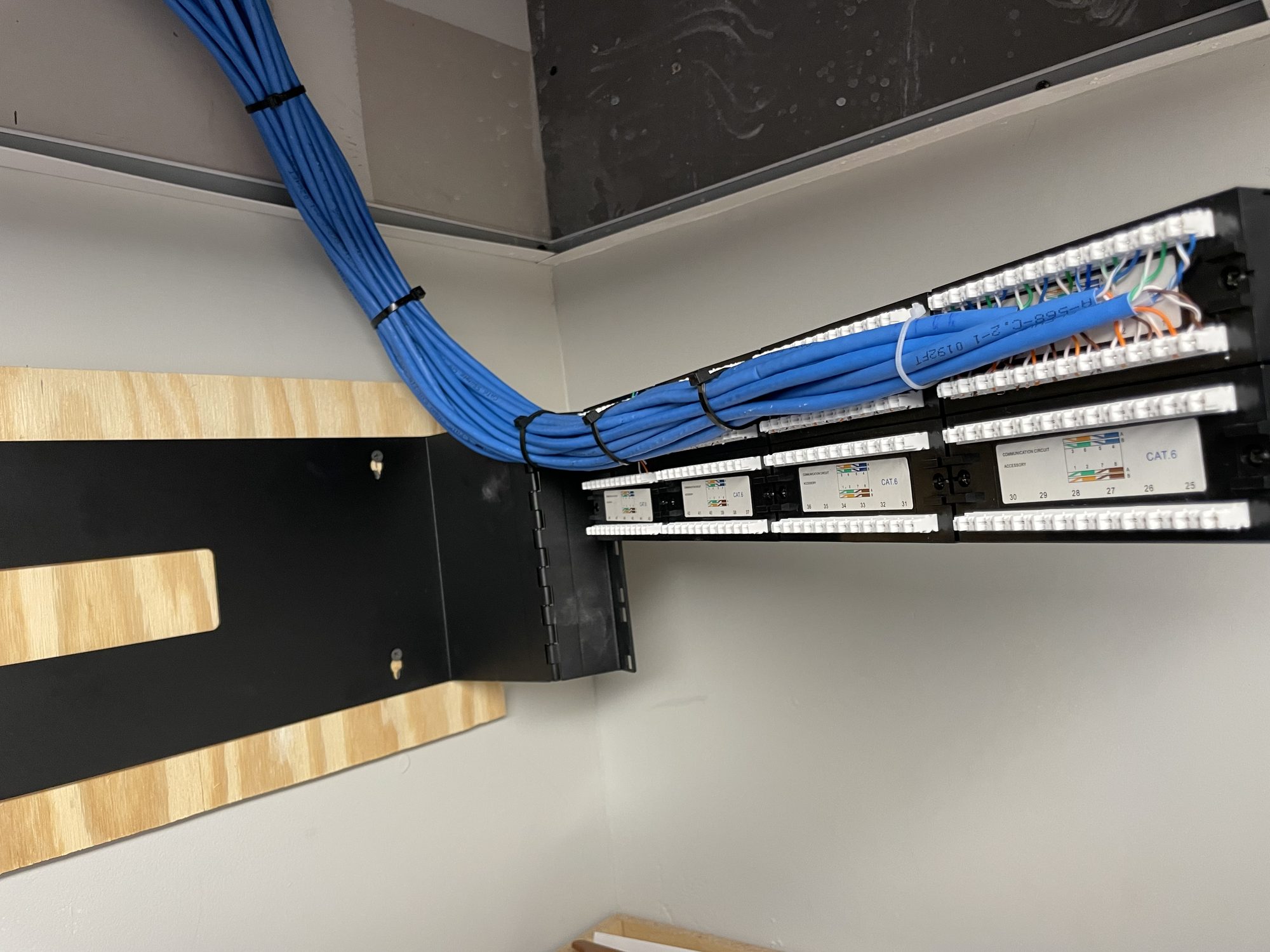
A serviceable rack keeps connections labeled and accessible. Ventilation, power distribution, spare capacity and cable management belong in the design. A crowded cabinet with trapped heat makes future troubleshooting harder.

Patch panels with bundled network cable runs
Patch panel termination

How does NTT design, install and test the system?

NTT starts with the floor plan, construction materials, existing wiring and the way each room is used. The review includes internet service, equipment locations, outdoor spaces and the devices that depend on the network.

Wired connections take priority for stationary equipment and access points where practical. Wireless mesh provides another path when cable access is limited, but each wireless hop uses capacity. An extender placed beyond a reliable signal does not solve the underlying connection problem.

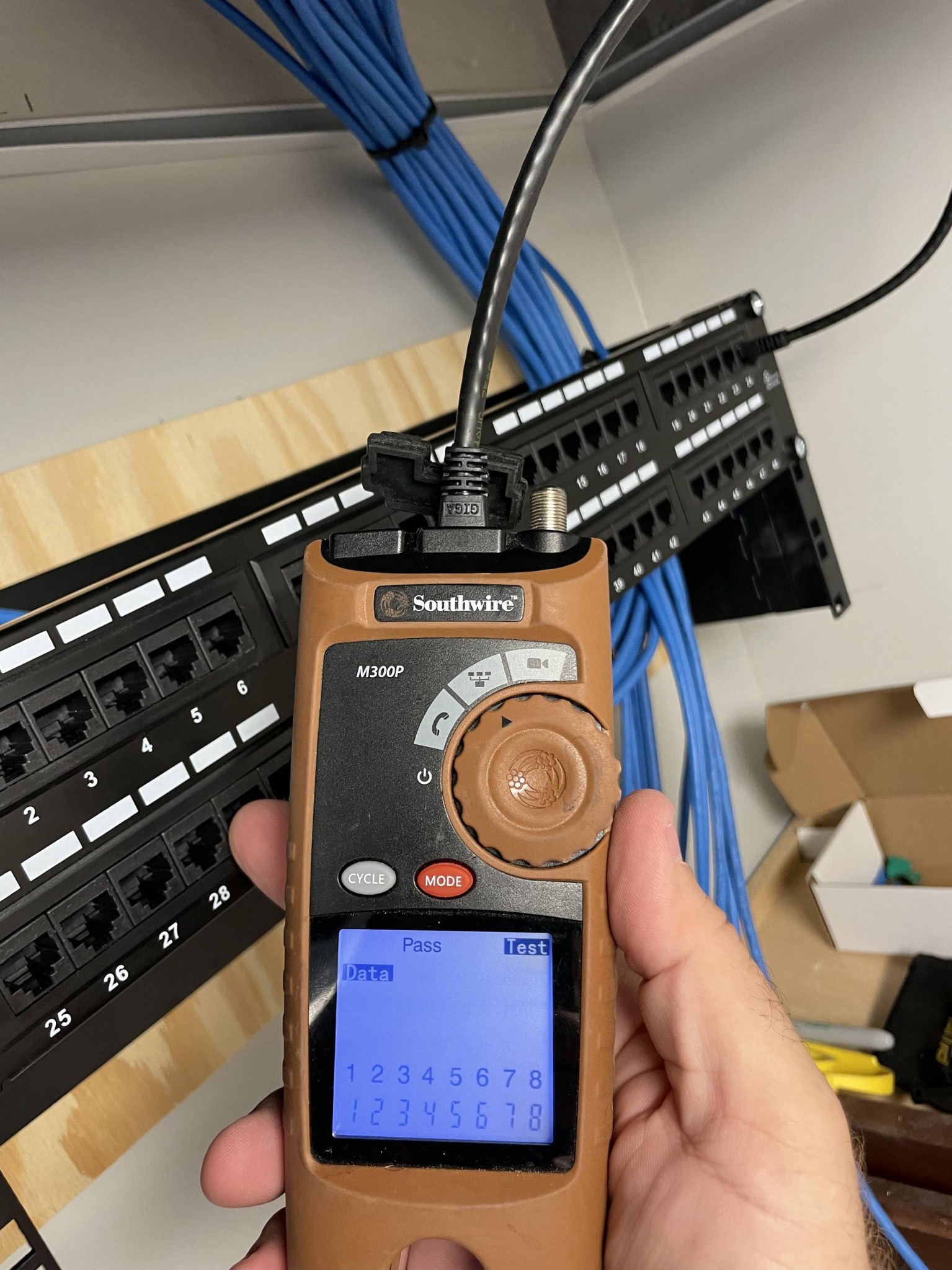
Installation includes cable termination, labeling, equipment mounting and configuration. Commissioning checks coverage, connection stability and real tasks such as streaming, camera viewing and moving between rooms. Speed at the router and performance at a distant television are separate checks.

Technician testing network cable at a patch panel
Cable testing at the panel

How do smart devices and guest Wi-Fi stay organized?

Virtual networks, or VLANs, separate categories of equipment within one physical network. A design can give guests internet access while keeping them away from household devices. Cameras and smart devices can also have their own network segments and access rules.

Separation needs careful configuration. Music casting, device discovery and automation control sometimes require communication between segments. NTT checks those requirements before applying restrictions. The goal is controlled access that preserves the functions the household needs.

Can coverage reach a lanai, pool or dock?

Outdoor coverage starts with the places where service is needed. A phone at a pool seat and a camera at a dock have different connection requirements. NTT evaluates mounting positions, cable routes, distance and obstructions before selecting equipment.

Outdoor hardware must suit its exposure and operating temperature. Salt air, humidity, sunlight and wind-driven rain affect the choice of housings, connectors and installation details. Coverage through exterior walls or impact glazing must be checked at the property. An indoor access point near a window does not establish reliable dock coverage by itself.

How do power protection and remote support work?

Storm planning includes surge protection, backup power and recovery after power returns.

A battery backup can keep selected network equipment running through a limited interruption. Its runtime depends on the connected load and battery condition. The design must consider the modem or fiber equipment, router, switches and access points together. Backup power inside the house cannot keep an unavailable internet provider online.

Remote-management tools can report device status and help diagnose connection problems when compatible equipment, permission and internet access are available. Monitoring features and any ongoing support arrangements are defined for the project. Some faults require a visit to the property.

Can an existing network be improved in stages?

Yes. NTT evaluates the wiring, router, switches and access points before recommending replacements. An upgrade can address a weak area, improve the equipment rack or prepare for additional cameras and entertainment zones.

Support begins by distinguishing an internet-service fault from a local network or individual-device fault. Documented equipment and network settings give future changes a clear starting point.

What else should homeowners know about networking?

Will faster internet fix weak Wi-Fi?

A faster service plan does not correct poor wireless coverage, interference or damaged cabling. NTT checks the connection entering the home and the network distributing it before recommending changes.

Can I keep my current internet provider?

A network upgrade does not automatically require a new provider. NTT checks the existing service, gateway and equipment requirements when planning the installation.

Do all my devices need the newest Wi-Fi standard?

No. The design must support the devices already in the home. Newer equipment does not change the radio capabilities of an older phone, camera or smart device.

Can remote support solve every connection problem?

No. Remote tools help with accessible equipment and configuration issues. Failed power supplies, damaged cables and an unavailable internet connection can require someone at the property.

How do you start a home-network project?

Call (239) 300-0652 or request a consultation with Naples Top Tech. Share your floor plan, problem areas and planned smart-home upgrades. NTT serves Naples, Bonita Springs, Estero, Fort Myers and Marco Island.

Plan your next step

Call (239) 300-0652 or request a consultation with Naples Top Tech. Share your floor plan, problem areas and planned smart-home upgrades. NTT serves Naples, Bonita Springs, Estero, Fort Myers and Marco Island.

Why Naples Top Tech

  • We're local. We started in Naples in 2017.
  • We're a Control4, Lutron and Vantage dealer.
  • We design it, wire it, program it, and we're here after you move in.
  • We give you a clear proposal before work starts.
Plan your project

Tell us what you'd like to improve.